






Intro – what are MIDI cables, and what are they used for?
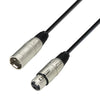
MIDI cables are what connect your electronic musical instrument to the rest of your setup. A MIDI cable does not carry audio, but digital control signals between, for example, a keyboard, synthesizer, drum machine, sound module, audio interface, or computer. When you choose the right MIDI cables, your setup becomes more stable, more precise and easier to work creatively with – both in the studio and for live use.
At SoundStoreXL you’ll find, among other things, robust MIDI cables such as Roland MIDI Kabel Gold Series and compact USB-MIDI interfaces such as Roland UM-ONE Mk2 USB-MIDI Interface. This means you can get both classic 5-pin MIDI cables for direct connections between hardware and smart USB solutions for computer-based setups.
What is a MIDI cable, and how does it work in practice?
A MIDI cable is a specialist cable that normally uses a 5-pin DIN connector at each end. Through the cable, MIDI data is sent – for example which keys you press, how hard you play, pitch bend, modulation, program changes and synchronisation data between devices. The cable itself consists of multiple conductors and shielding, which protects the signal from noise and ensures stable communication.
Roland MIDI Kabel Gold Series is a good example of a modern, high-quality cable. It has a 4-conductor cable construction, high-density spiral shielding and commercial nickel DIN connectors. This means that every single byte of music data, timecode and system exclusive (SysEx) information is transmitted reliably, even when you work with more advanced setups and long sessions.
What are MIDI Keyboards and MIDI cables used for?
MIDI Keyboards only become truly useful once you connect them correctly, and this is where MIDI cables or USB-MIDI solutions are absolutely essential. You use MIDI Keyboards to control sound sources – either hardware such as synthesizers and sound modules, or software such as virtual instruments and plugins on your computer.
With the right MIDI cable or USB-MIDI interface, you can for example:
- Play software instruments in your music software with a physical keyboard
- Control an external synthesizer or a sound module from your Keyboards
- Synchronise drum machines and grooveboxes with the rest of your system
- Record MIDI data in your DAW for later editing and arranging
That’s why the choice of MIDI cables and USB-MIDI interfaces is a direct factor in how flexible and comfortable your workflow will be – at home, in the studio, and on stage.
How to choose the right MIDI cable for your setup
When choosing MIDI cables, it’s about matching the cable to your equipment and your working situation. Start by looking at which connector types your devices have, how far apart they are, and whether you need to connect to a computer or only work with hardware.
A good starting point is to consider the following points:
- Which connectors do your devices use – classic 5-pin DIN, or do you need USB to MIDI?
- How long cables do you actually need, without creating unnecessary cable clutter?
- Is the cable for fixed studio use, mobile live use, or both?
- Do you need a single cable, or an interface with both MIDI in and out?
With a cable like Roland MIDI Kabel Gold Series, you get high shielding and robust connectors that are ideal for both studio and stage. If you need to connect MIDI gear directly to a computer, a compact USB-MIDI interface such as Roland UM-ONE Mk2 is a practical choice.
Types of MIDI cables and interfaces at SoundStoreXL
Although MIDI is basically a standard, there are several ways to move MIDI data around your system. In SoundStoreXL’s range of MIDI cables and MIDI connections, you’ll find, among other things, these main types:
- Classic 5-pin MIDI cables for direct connection between hardware devices
- USB-MIDI interfaces that convert classic MIDI to USB for use with a computer
- Cables and interfaces in different lengths for both compact and more extensive setups
- MIDI solutions with a focus on stability, shielding and low latency
What the MIDI cables and interfaces you’ll find at SoundStoreXL have in common is that they are built for reliable use in music production, rehearsal rooms and live situations, where you can’t afford dropouts or an unstable connection.
MIDI cable vs. USB-MIDI – what should you choose?
The choice between a traditional MIDI cable and a USB-MIDI solution depends on what your setup looks like. Many newer keyboards and controllers have built-in USB-MIDI, while older and more classic units primarily use 5-pin MIDI connectors. Here you can combine the solutions so you get the best of both worlds.
Consider, among other things, these scenarios:
- MIDI Keyboards to a computer: Here a USB connection or a USB-MIDI interface such as Roland UM-ONE Mk2 often provides the most direct solution.
- Keyboards to a sound module or synthesizer: Here a classic 5-pin MIDI cable is typically the clean and stable route between devices.
- Live setup with multiple devices: Here you can chain several 5-pin MIDI cables and possibly have one USB-MIDI interface for control from a computer.
- Studio production with both hardware and software: Often a combination of multiple MIDI cables for hardware and one or more USB-MIDI interfaces for the computer.
By choosing both good MIDI cables and a stable USB-MIDI interface, you can build a flexible system that can be expanded over time without replacing the entire infrastructure.
MIDI 1.0, MIDI 2.0 and compatibility – what does it mean for your cables?
Most MIDI cables on the market, including the high-quality Roland MIDI Kabel Gold Series, are designed according to the classic MIDI 1.0 standard with 5-pin DIN connectors. In practice, the cable itself is simply a physical connection that carries digital signals between your devices.
The transition to MIDI 2.0 primarily takes place in the hardware and software itself. This means that, as a rule, you can use your existing MIDI cables, even when you start working with newer devices. As long as the connectors and standard match, the cable will work, regardless of whether the data follows MIDI 1.0 or features from MIDI 2.0.
What matters, therefore, is not whether the cable itself is “MIDI 2.0”, but that it is well shielded, stable, and has reliable connectors. High-density shielding, solid DIN plugs and a robust construction are important parameters you’ll find in the professional MIDI cables and interfaces in SoundStoreXL’s range.
Quality, length and signal – how to get stable MIDI connections
Even though MIDI data takes up significantly less than audio data, the quality of your MIDI cable can still matter a lot. A poorly shielded or very long cable can be more vulnerable to noise, instability, or irregular communication between the devices.
To ensure stable MIDI connections, it’s a good idea to pay attention to:
- Shielding: Choose cables with good, dense shielding. High-density spiral shielding, like in the Roland MIDI Cable Gold Series, effectively protects against electromagnetic noise.
- Connector quality: Commercial-grade nickel DIN plugs provide a reliable and durable connection, even with frequent use.
- Cable length: Use only cables as long as you actually need, especially in complex setups with multiple devices.
- Physical robustness: A thicker outer jacket and well-built cable reduce the risk of cable breaks when the cable is used on stage or moved often.
By choosing a quality cable and adjusting the length to your setup, you get a more stable system, fewer unexpected errors, and an overall workflow that is far more pleasant day to day.
USB-MIDI interfaces – when your MIDI cable needs to go into the computer
If your gear only has classic 5-pin MIDI, but you want to work in a computer-based music production, a USB-MIDI interface is the obvious solution. An interface acts as the link between the MIDI cables and your computer’s USB port.
The Roland UM-ONE Mk2 USB-MIDI Interface is a compact example of this type of solution. It offers, among other things:
- 1 MIDI input and 1 MIDI output for your hardware devices
- Ultra-fast signal processing with FPT processing, which reduces latency and jitter
- USB bus-powered operation, so you don’t need an external power supply
- Compatibility with Mac and PC, as well as iPad via a suitable adapter
- Practical cable lengths for both the MIDI side and the USB side
With an interface like the UM-ONE Mk2, you get a simple, stable way to integrate hardware synths, Keyboards and drum machines into your software-based production, without having to think about complex setups.
How to connect your MIDI devices step by step
To get the most out of your MIDI cables, it is important to connect the devices correctly. The setup itself is relatively simple once you understand the logic behind IN, OUT and possibly THRU.
A typical basic setup could look like this:
- Find MIDI OUT on the instrument that will send data, for example a Keyboards.
- Connect MIDI OUT to MIDI IN on the device that is to receive, for example a sound module or a synthesizer, using a suitable MIDI cable.
- If you also want to send data the other way, you can connect MIDI OUT on the receiver to MIDI IN on the sender with another cable.
- If you want to control multiple devices from the same source, you can use MIDI THRU on some devices to pass the signal on to the next device in the chain.
When you bring computers and USB-MIDI interfaces into the picture, simply connect the interface’s USB cable to the computer and the interface’s MIDI connectors to your hardware devices. The rest of the setup is then done in your software.
Common MIDI cable mistakes – and how to avoid them
Many MIDI problems are caused by simple cabling or setup mistakes that you can quickly fix with a systematic approach. It is rarely the cable itself that is to blame, but it can of course happen.
Here are some of the most common errors and solutions:
- IN and OUT are swapped: Always check that MIDI OUT goes to MIDI IN and not the other way around.
- No sound even though MIDI is connected: Remember that MIDI only sends data. You still need audio connections from your sound sources to a mixer, audio interface or monitors.
- MIDI not enabled in software: Make sure your USB-MIDI interface or your MIDI port is enabled in the settings of your DAW or other music software.
- Wrong MIDI channels: If the sender and receiver are not set to the same channel, the receiver will not respond. Check the channel settings.
- Faulty cable: If nothing else works, try another known, working cable, for example a quality-assured cable from SoundStoreXL’s range.
By going through these points calmly and systematically, you can usually get your MIDI setup working again without major intervention or additional gear.
MIDI cables in music production and live use
MIDI cables play a central role both when you produce music in the studio and when you are on stage. In both cases, it is all about timing, stability and flexibility, so creativity is not limited by the technology.
In the studio, many musicians use MIDI cables to:
- Record real-time playing on MIDI Keyboards for later editing
- Synchronise hardware drum machines with software projects
- Automate parameters in synthesizers and effects units via MIDI CC
- Switch presets and sound banks on external devices directly from the computer
For live use, reliable MIDI cables and possibly USB-MIDI interfaces are just as important. Here, the cables must withstand repeated setup and teardown, movement on stage and changing temperatures without the connection becoming unstable. Quality cables with robust connectors, such as in Roland’s solutions, are therefore a natural choice for stage use.
Software, MIDI files and compatibility
MIDI cables and USB-MIDI interfaces are the link between your physical devices and the software you work in. In most DAWs and music programs, you can both record and play back MIDI data, stored in MIDI files or as part of your project.
A MIDI file contains no audio, but instructions about what should be played. This makes it easy to edit, share and reuse across systems. When you have a stable MIDI setup with proper cables and interfaces, you can easily:
- Play back MIDI files through your hardware synthesizers or software instruments
- Use external controllers to control effects and parameters in your software
- Integrate DJ software, sample-based systems and live instruments into one unified flow
- Make use of training materials, tutorials and sample packs based on MIDI data
SoundStoreXL offers both hardware for MIDI connections and selected software, such as DJ solutions for digital playback and performance. What they have in common is that they are compatible with common Mac and Windows systems and support stable MIDI workflows.
FAQ – frequently asked questions about MIDI cables
A number of questions naturally arise when you start working with MIDI and MIDI cables. Here you’ll find short, practical answers to some of the most common ones.
What is a MIDI cable?
A MIDI cable is a special cable that typically has 5-pin DIN connectors at both ends. It is used to transfer digital control signals between electronic musical instruments, sound modules, controllers and computers via a USB-MIDI interface. The cable does not carry audio, but data that tells what and how it should be played.
What is a MIDI file?
A MIDI file is a file type that contains musical instructions instead of the sound itself. It describes, for example, which notes are played, duration, velocity, controllers and program changes. MIDI files are very small in size and can be played back through both hardware synthesizers and software instruments, as long as you have set up the MIDI connection correctly.
What are MIDI Keyboards used for?
MIDI Keyboards are used as a control unit for other sound sources. This can be hardware such as synthesizers, sound modules and drum machines, or software such as virtual instruments in your DAW or other music software. With the right MIDI cables or USB-MIDI interfaces, you can play, record and control sounds across your entire setup.
How long can a MIDI cable be?
In practice, many manufacturers recommend keeping the length of traditional 5-pin MIDI cables within a moderate range to ensure stability. You should therefore choose the shortest length that’s practically possible in your setup, and make sure the cable is well shielded. If you need longer distances, you can often solve it by positioning your gear more smartly or using multiple cables and interfaces.
Best practice – examples of MIDI setups with SoundStoreXL equipment
To make it more manageable, it can help to look at concrete examples of how MIDI cables and USB-MIDI interfaces are used day to day. Here are some typical setups you can easily build on.
1) MIDI Keyboards to computer
- Connect MIDI OUT from your Keyboards to MIDI IN on a USB-MIDI interface such as Roland UM-ONE Mk2.
- Connect the interface’s USB cable to your computer.
- Enable the interface’s MIDI port in your DAW and select it as the input for your tracks.
- Now play and record in real time directly into your software.
2) Keyboards to external sound module or synthesizer
- Connect MIDI OUT on the Keyboards to MIDI IN on the sound module with a quality cable, for example Roland MIDI Kabel Gold Series.
- Set both devices to the same MIDI channel.
- Connect the sound module’s audio outputs to a mixer, audio interface or amplifier.
3) Live setup with multiple devices in a chain
- Use MIDI Keyboards or a central controller as the MIDI master.
- Connect the master’s MIDI OUT to the first device’s MIDI IN with a reliable MIDI cable.
- Use MIDI THRU or extra outputs, if available, to send the signal on to the next device.
- Finish the chain by ensuring that all devices are set to the relevant channels and sync settings.
By planning your MIDI routing and using thoroughly tested cables and interfaces from SoundStoreXL, you can build setups that are stable, flexible and easy to troubleshoot if something acts up.
Buy your MIDI cables at SoundStoreXL
With the right choice of MIDI cables and USB-MIDI interfaces, you get a setup that works for you instead of against you. At SoundStoreXL you can find solutions such as the Roland MIDI Kabel Gold Series for robust 5-pin connections and the Roland UM-ONE Mk2 USB-MIDI Interface for stable integration between hardware and computer.
Whether you’re getting started with your first simple MIDI setup with a single Keyboards or building a larger system with multiple devices, you’ll find cables and interfaces designed for musicians, producers and live performers. If you need advice on choosing the right length, type or combinations for your existing gear, we’ll be happy to help you further, so you avoid wrong purchases and unnecessary cable clutter.
Buy your MIDI cables at SoundStoreXL – 100% Danish retailer.
